SarahEditor v1.1.1
Download

Free · Windows 10 & 11 · 64-bit

Editing that keeps up.

A fast, native video editor with multitrack compositing, styled titles and lossless export. No account, no cloud, no waiting.

Preview 00:00:00:00 / 1920×1080 / 30 fps
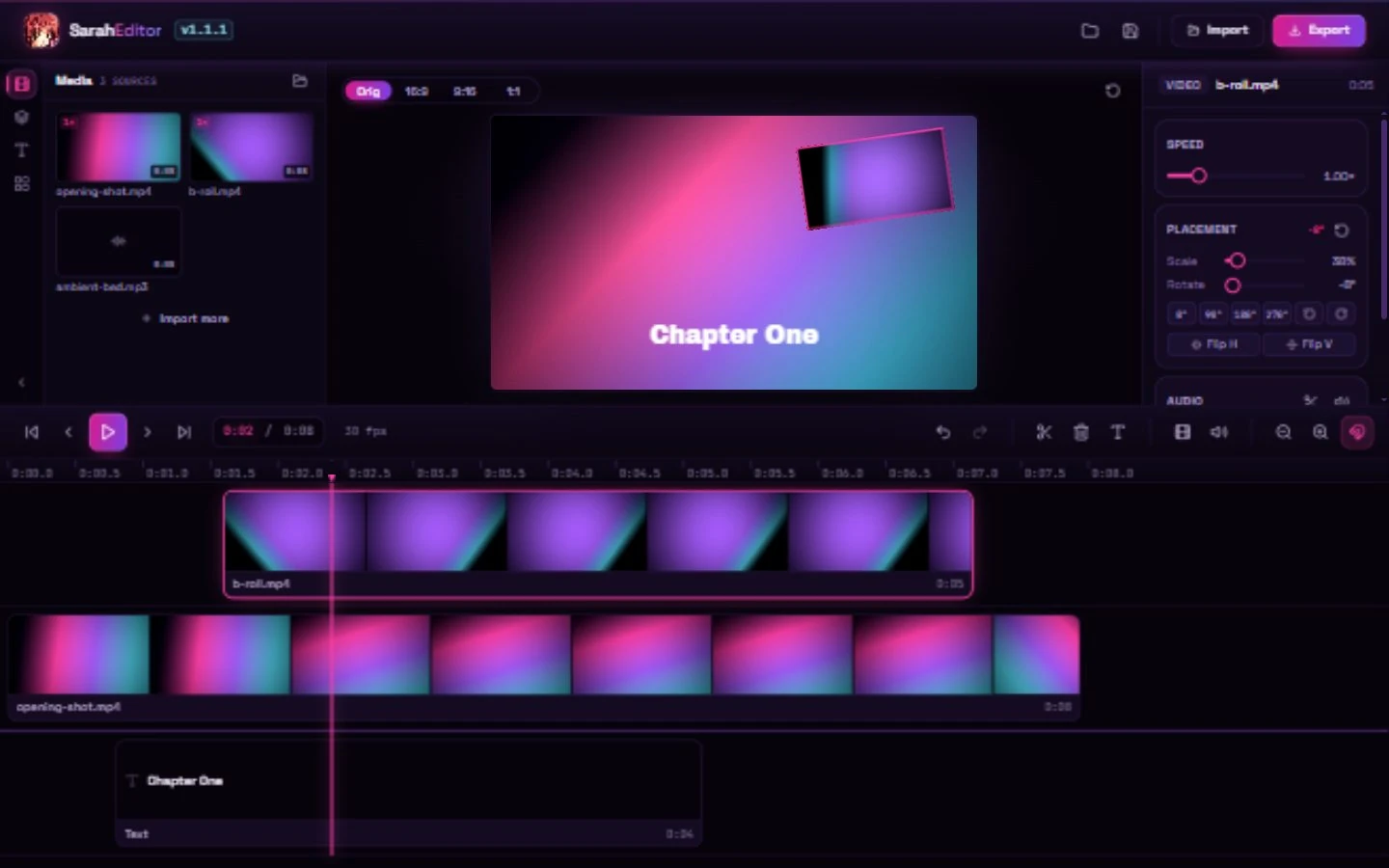
SarahEditor with a multitrack timeline, the preview canvas and the clip properties panel

Built for the cut, not the render.

02 / 06
Stream copy 0 re-encodes

Lossless by default

Trim a clip and the packets are copied straight into a fresh container, not decoded and encoded again. A simple cut finishes in seconds.

$ ffmpeg -i in.mp4 -ss 00:00:04 -to 00:00:09 \ -c copy out.mp4
Multitrack compositing

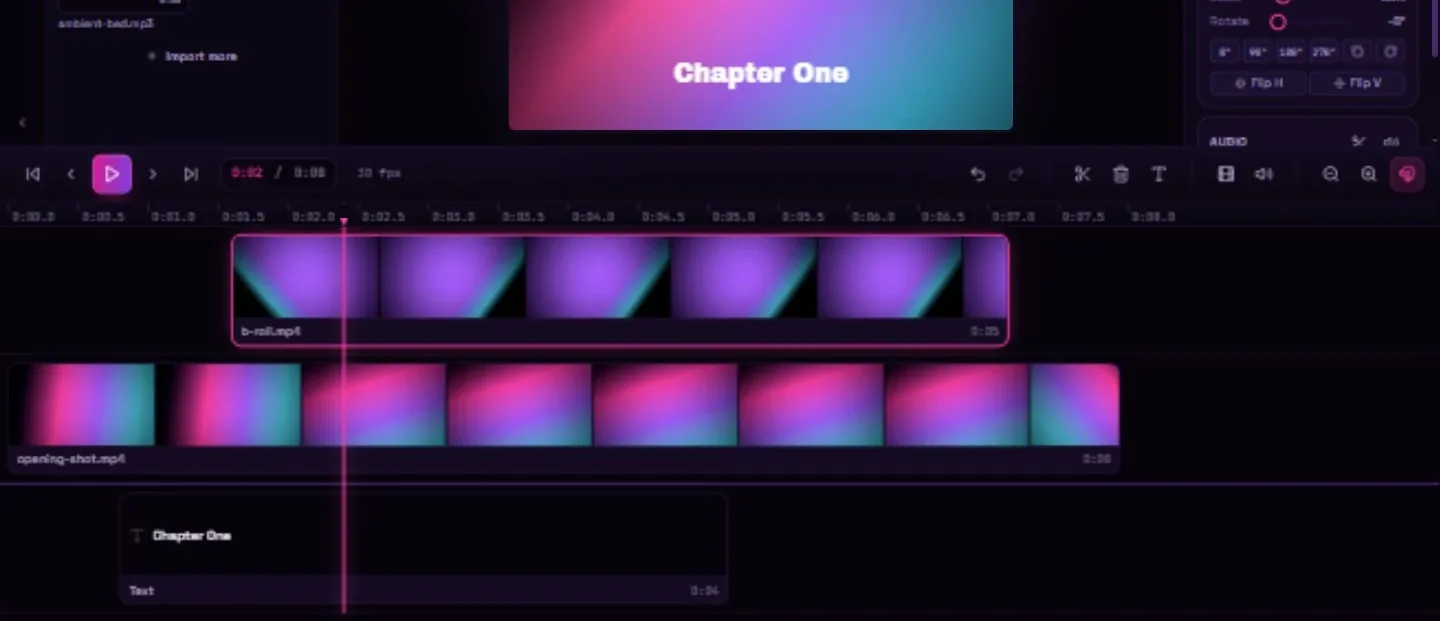
Place, scale, rotate and flip clips on a real canvas. Picture in picture, split screen and overlays from one transform.

SarahEditor timeline with layered video, title and audio clips

Titles that match

A font, weight, colour, alignment and outline. The export draws the same file, so the title lands exactly where you placed it.

Frame accurate

Step frame by frame, split at the playhead, trim both edges. The timeline runs at the fastest clip rate.

Audio, detached

Lift a clip's audio onto its own track, then mix, mute and fade with waveforms and audio scrubbing.

One key for everything

Hit Ctrl K for the command palette, or use the shortcuts already in your fingers.

  • CtrlKCommand palette
  • SSplit at playhead
  • TAdd a title
  • RRotate the clip

Native, tiny, offline

A Tauri shell around a bundled FFmpeg. No Electron, no runtime download, no telemetry. It opens, edits and exports with the network off.

UI
SvelteKit 5
static bundle
Shell
Tauri 2 · Rust
native window
Media
FFmpeg sidecar
probe · cut · encode
0 telemetry Win 10 & 11 64 bit

Most cuts never touch the encoder.

SarahEditor probes the source, finds the cut points and copies the compressed packets into a fresh container. Nothing is decoded frame by frame unless it has to be. That is why a trim is bound by your disk, not your CPU.

  1. 01

    Import

    Drop a file or pick one from the native dialog.

  2. 02

    Probe

    ffprobe reads the codec, rate and keyframes.

  3. 03

    Cut

    The trim snaps to the nearest keyframe.

  4. 04

    Copy

    Packets move across with -c copy.

  5. 05

    Export

    The container is written straight to disk.

Stream copy applies when the source codec already matches the target, such as H.264 or H.265 into MP4. Other combinations fall back to a fast encode.

No account. No watermark. No catch.

04 / 06

How SarahEditor lines up with the editors you might otherwise open.

Feature SarahEditor Clipchamp OpenShot Shotcut
Free, no watermark Yes Yes Yes Yes
No account or sign in Yes No Yes Yes
Tiny native app Yes No No No
Multitrack compositing Yes Yes Yes Yes
Lossless stream-copy export Yes No No No
Works fully offline Yes No Yes Yes

Comparison reflects each editor in 2026. SarahEditor is built for 64-bit Windows 10 and 11.

Latest · v1.1.1

Take it to the timeline.

Free for 64-bit Windows 10 and 11. Every build bundles its own FFmpeg, so export works the moment it opens.

Windows 10 or 11, 64-bit. The installer includes FFmpeg; there is nothing else to download.

GET /download/windows 200
Windows x64
NSIS · MSI
Version
1.1.1
Size
~100 MB
License
Freeware
Price
$0
Account
none

Questions, answered.

05 / 06

Everything you need ships inside the app. These are the questions that come up before the first cut.

See it in action
Is SarahEditor free?

Yes. It is free to download and use: no paid tiers, no watermark and no sign up.

Which platforms does it run on?

Windows 10 and 11, 64-bit only. The installer comes as an NSIS setup or an MSI. macOS and Linux are not available.

Does it need an internet connection or an account?

No. SarahEditor is a native desktop app that runs fully offline. No login, no cloud, no telemetry.

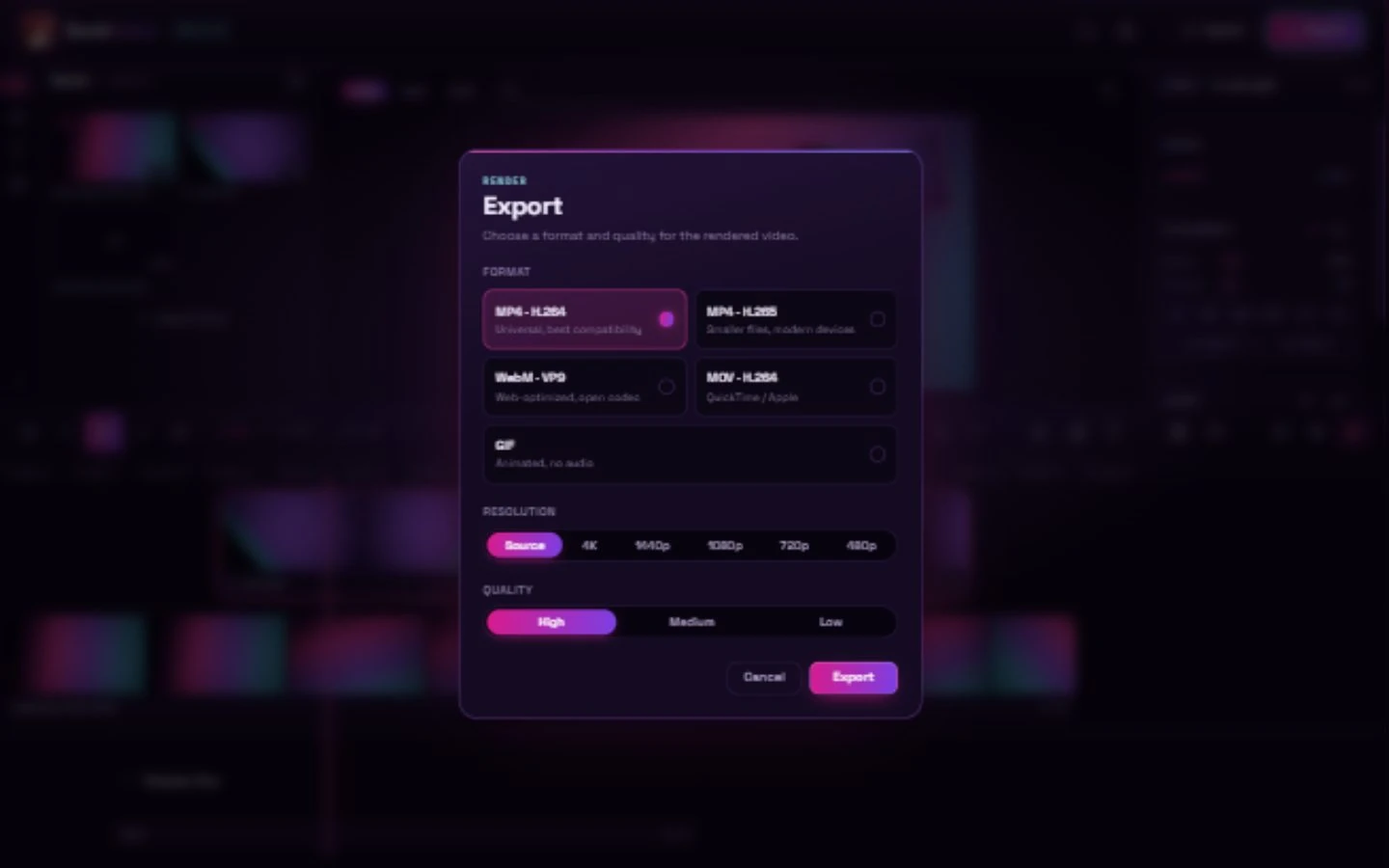
What formats can it export?

MP4 with H.264 or H.265, WebM with VP9, MOV with H.264, and GIF. When a clip needs no re-encode, the stream is copied for a lossless export in seconds.

Can it add text to videos?

Yes. Add a styled title with a font, weight, colour, alignment and outline, then place, scale and fade it on the timeline like any other clip. The export draws the same fonts, so titles look identical to the preview.

What does it save projects as?

A small JSON document with a .saraheditor extension. It holds source paths, trims, placement and text styling. Older .animeeditor and .katana projects still open.